Tablet Application

An Interactive Patient Profile Builder to Help Communicating with HCP's

ROLE

Product Designer

Other Team Members

UX Architect , Art Supervisor, Copy Writer

Project description

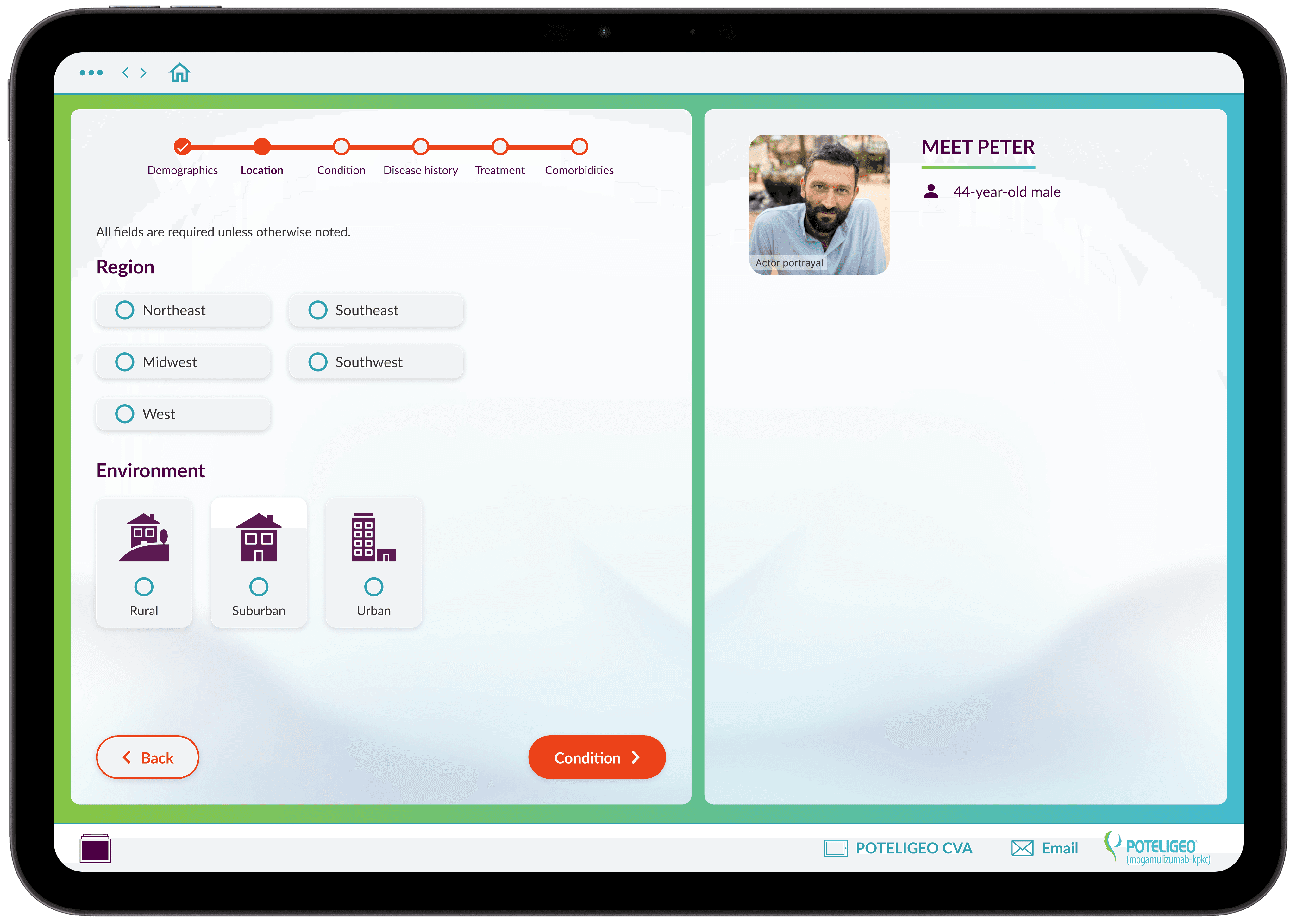
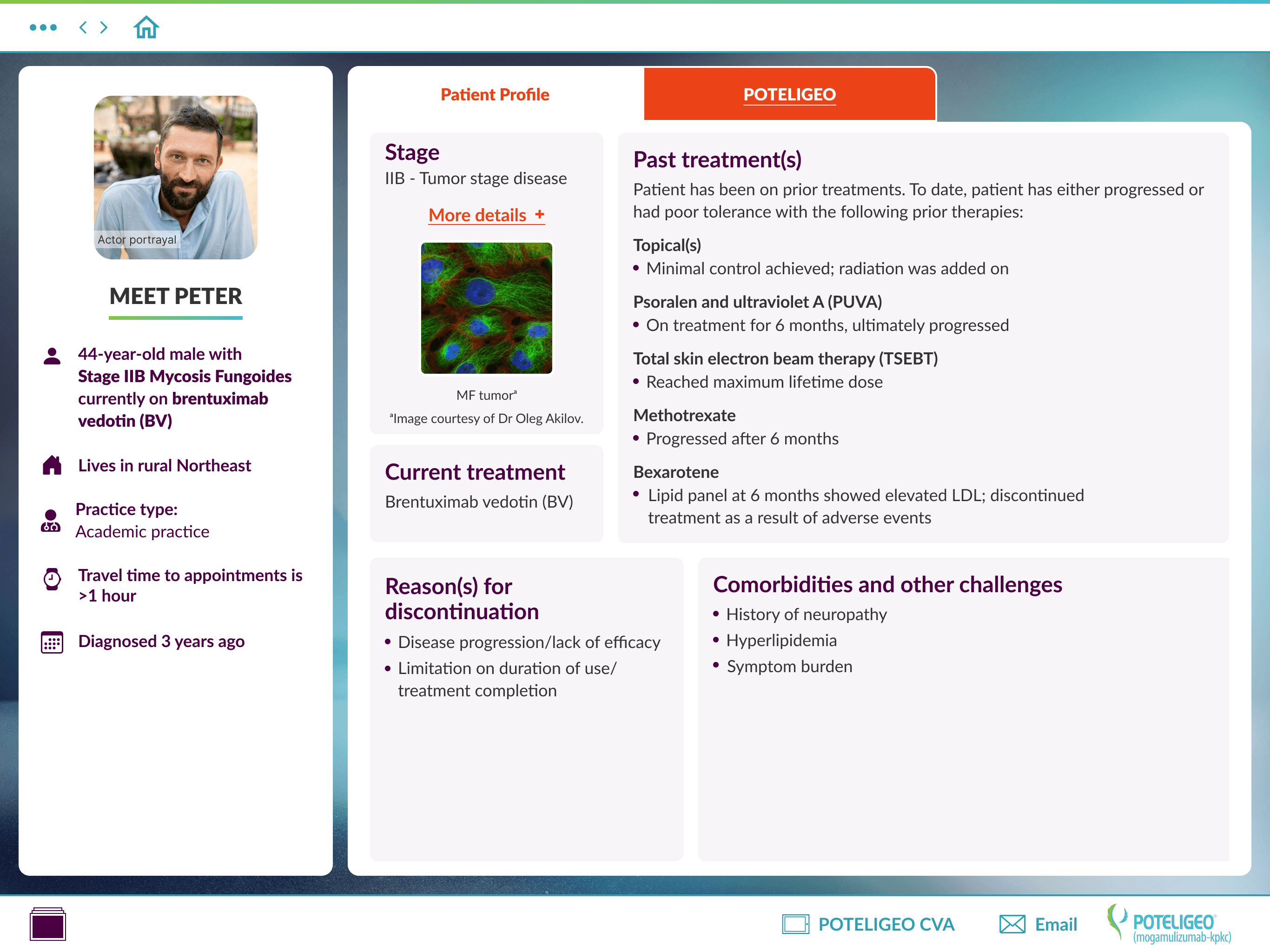
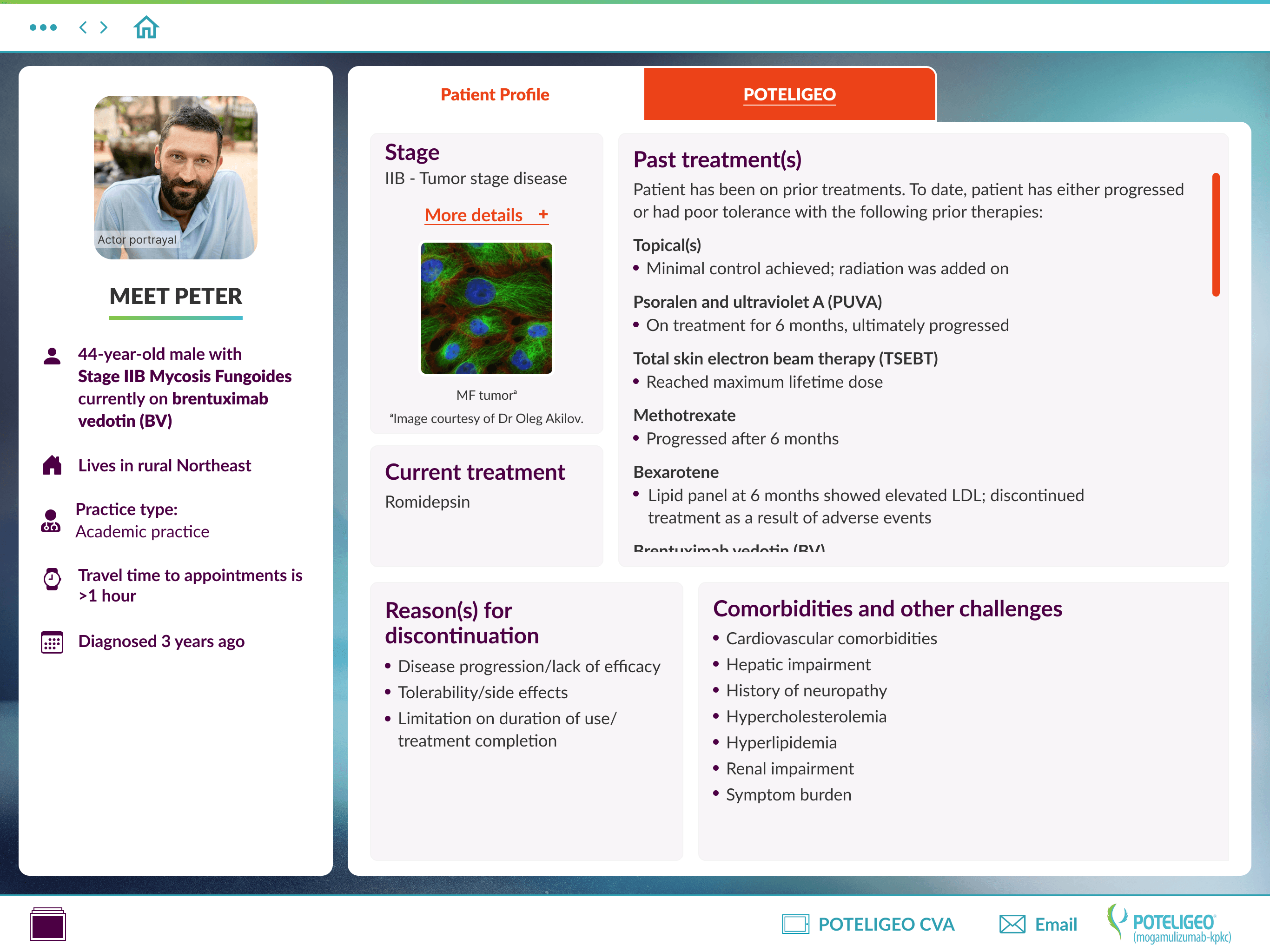
Our team designed a patient profile builder that helps sales representatives work with healthcare professionals to create profiles based on patient demographics, location, condition, history, treatments, and comorbidities. These profiles can reflect real patients or hypothetical use cases. The final output highlights the selected patient data alongside an overview of Poteligeo and its potential treatment benefits.

Project Steps

Team brief

Research & Planning

Site Map & Wireframes

Create design options

Iterations and team reviews

Final design

Project is currently still in development

Process

This section highlights how I contributed at each stage of the project—from supporting early UX planning through leading the UI design, prototyping, and overall execution.

Research & Planning

I partnered with our UX Architect to review project goals, user needs, and data requirements for both sales representatives and healthcare professionals. Together, we aligned on the core workflows for capturing real or hypothetical patient information and defined what the tablet experience needed to support.

Design & Prototyping

With the UX framework established, I led the UI design process—exploring visual directions, creating high-fidelity screens, and building interactive prototypes to bring the experience to life. I developed clear, intuitive UI patterns for entering and reviewing complex medical data, and collaborated closely with the team and client to refine the final direction. I prepared development-ready files with detailed states and interaction guidance.

Development & Implementation

This project is currently still in pre-development

Research

Our team interviewed current sales representatives to understand desired features and frustrations with similar tablet applications. We also explored how they would use the tool—whether building patient profiles before meetings or collaboratively in-office with health care providers. The data categories were provided by the client and medical teams.

Key take ways from research:
  1. Users want to build and save profiles in advance, allowing them to prepare before meeting with health care providers.

  1. For users building profiles on the spot, reps indicated they would likely share the tablet with health care providers and navigate it together.

  1. Users reported losing their place in other similar applications, which can be especially frustrating during presentations.

Site map and wireframes

I collaborated with our UX Architect to structure the tool’s flow, organizing the builder into key categories for user selections. Based on our research, we focused the design on these main areas:

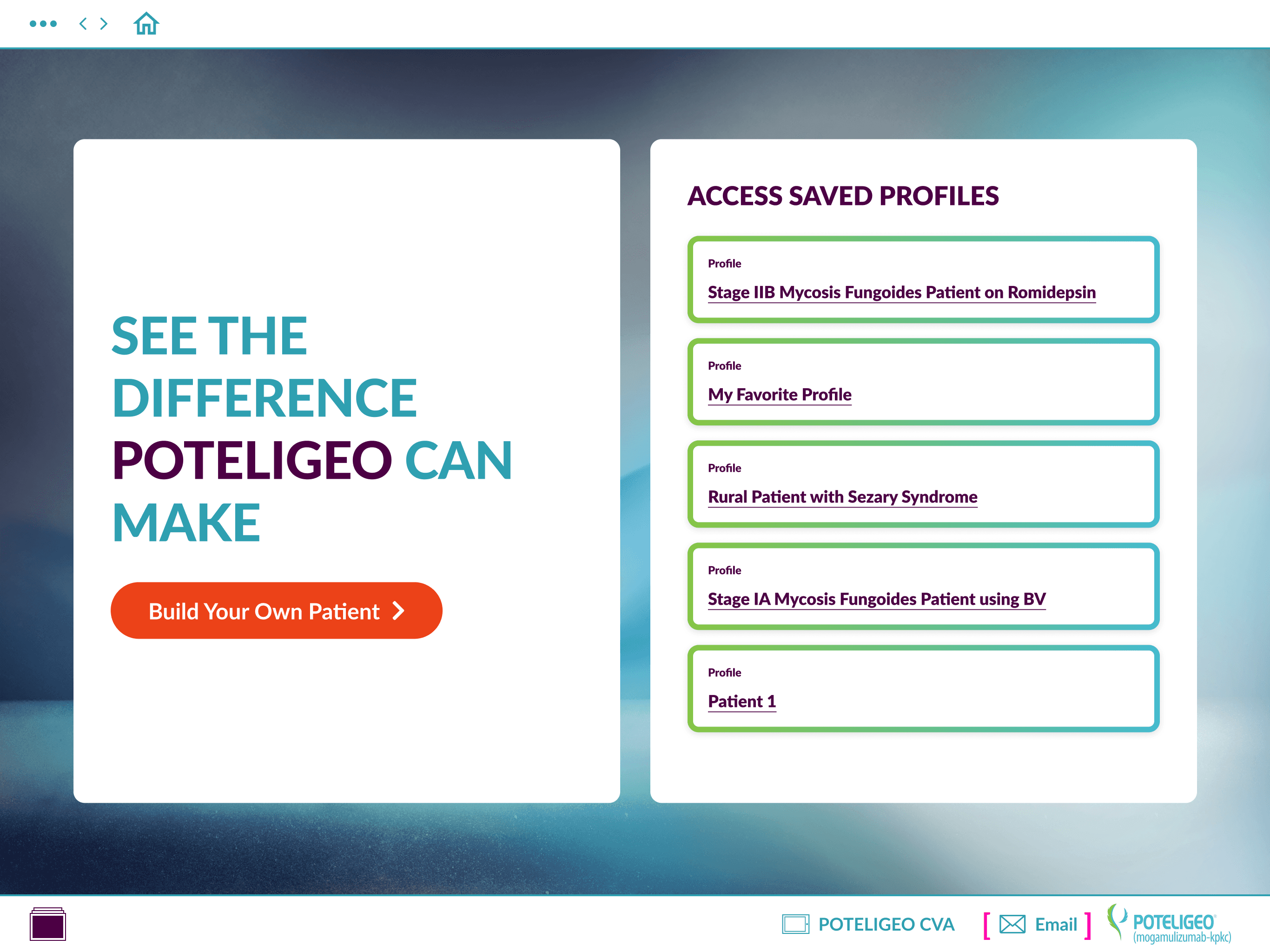
Save profile feature

Progressive reveal and a UI that is setup to present as you go

Large and easy to click buttons and selection points

Intuitive progression indicators and the ability to easily go back as needed

Minimize scrolling as much as possible so users don't loose their place and/or miss things

Site map

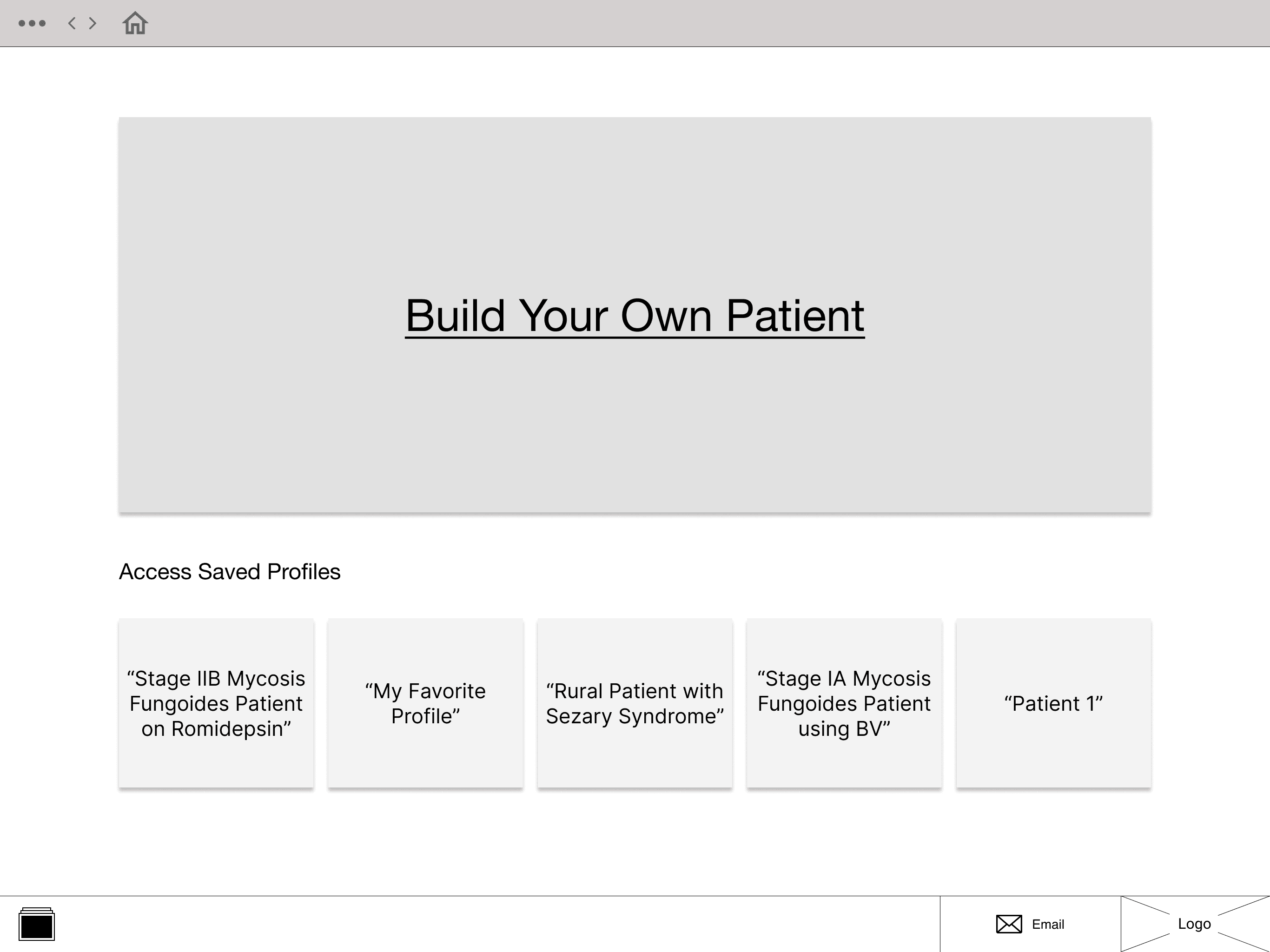
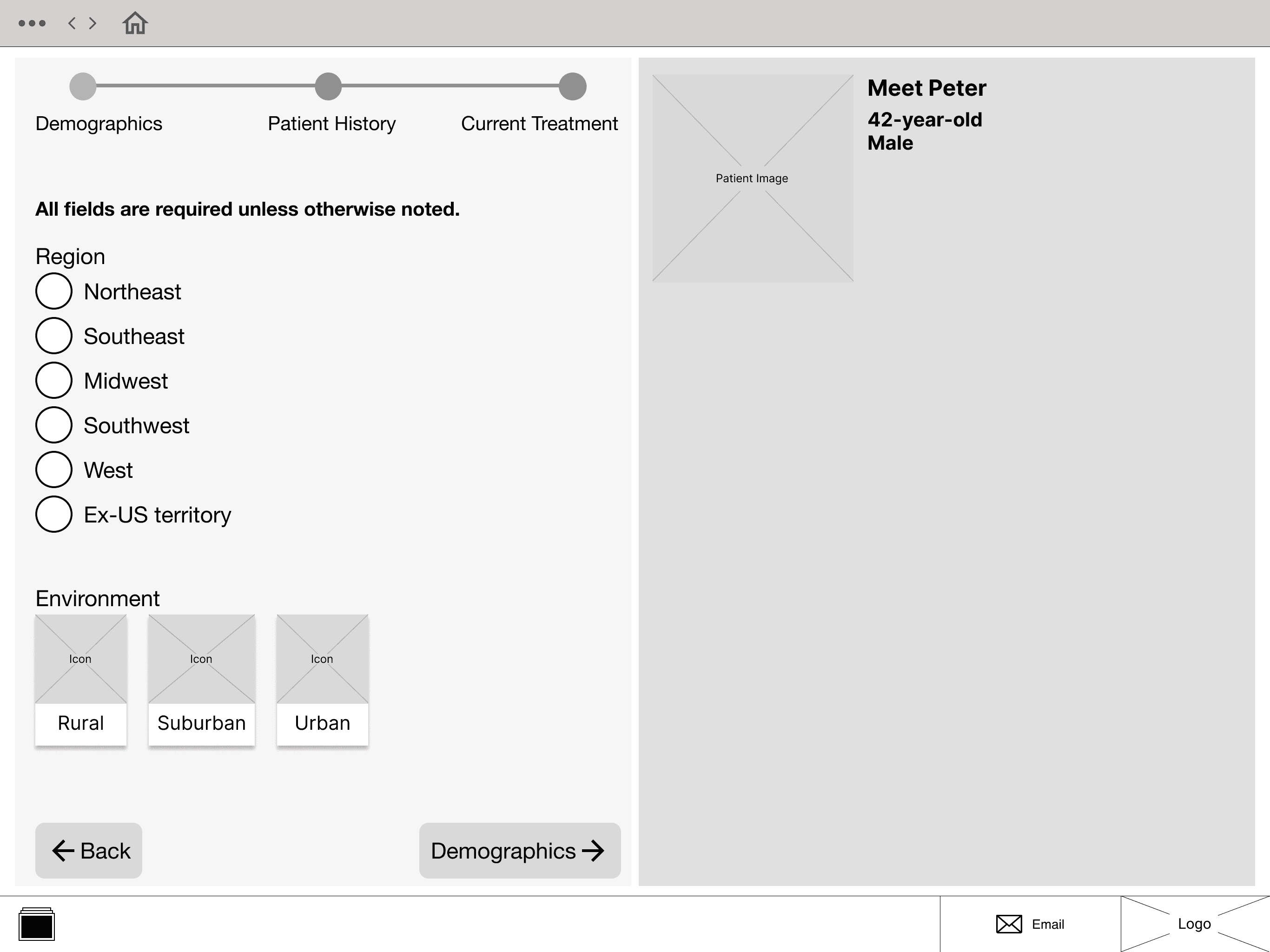
After highlighting key areas of our research and building the site map, I collaborated with our team UX Architect to put together our wireframes. Wireframing went through several rounds and client reviews but we landed on what you see below (sample not all frames).

Wireframes(sampel)

After highlighting key areas of our research and building the site map, I collaborated with our team UX Architect to put together our wireframes. Wireframing went through several rounds and client reviews but we landed on what you see below (sample not all frames).

Wireframes(sampel)

UI design

This section shows how I translated the brand’s visual language into a functional, engaging experience. From early visual explorations to final screens, it highlights the key design decisions that shaped the final product.

Progression to final UI design

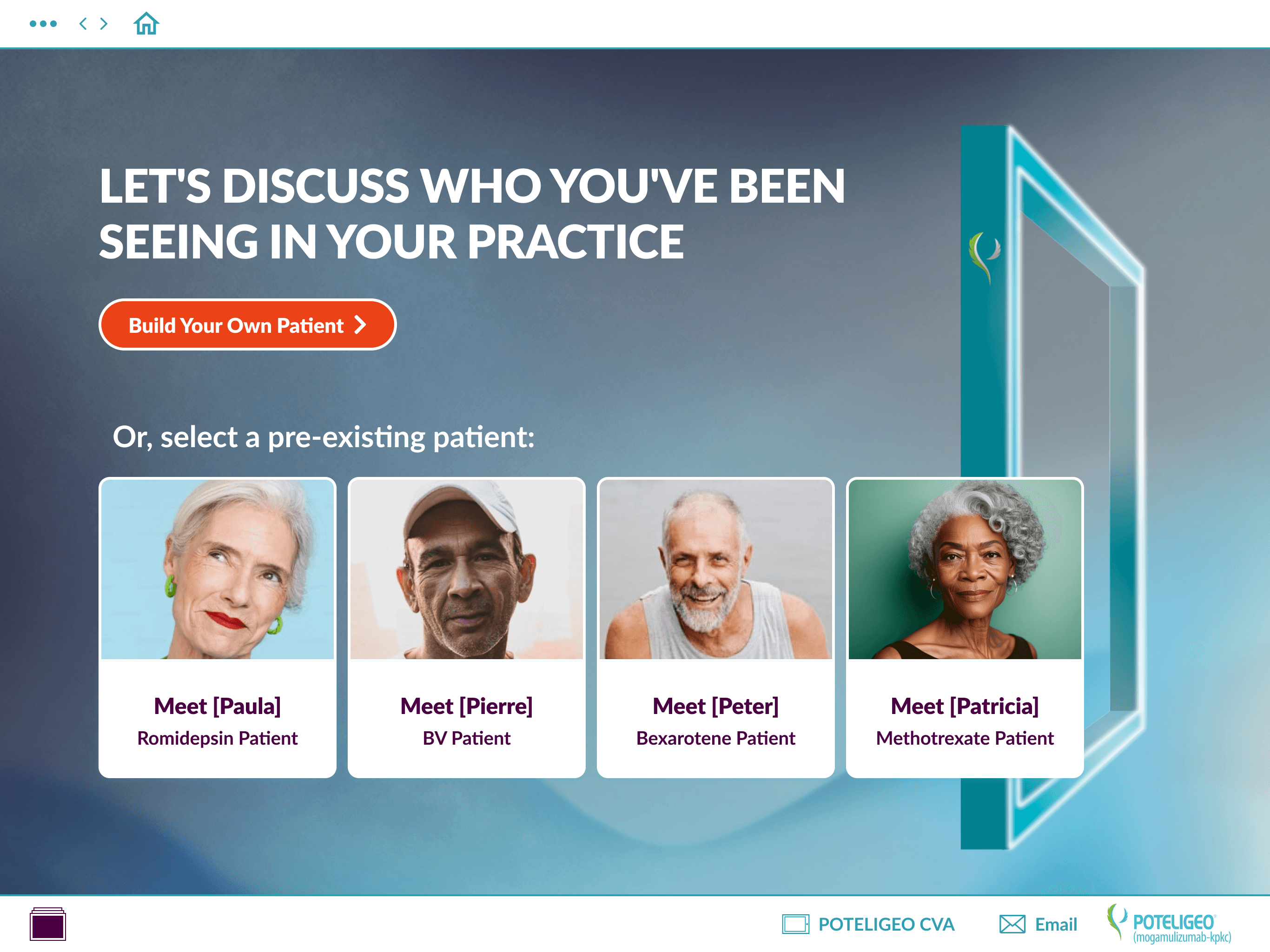
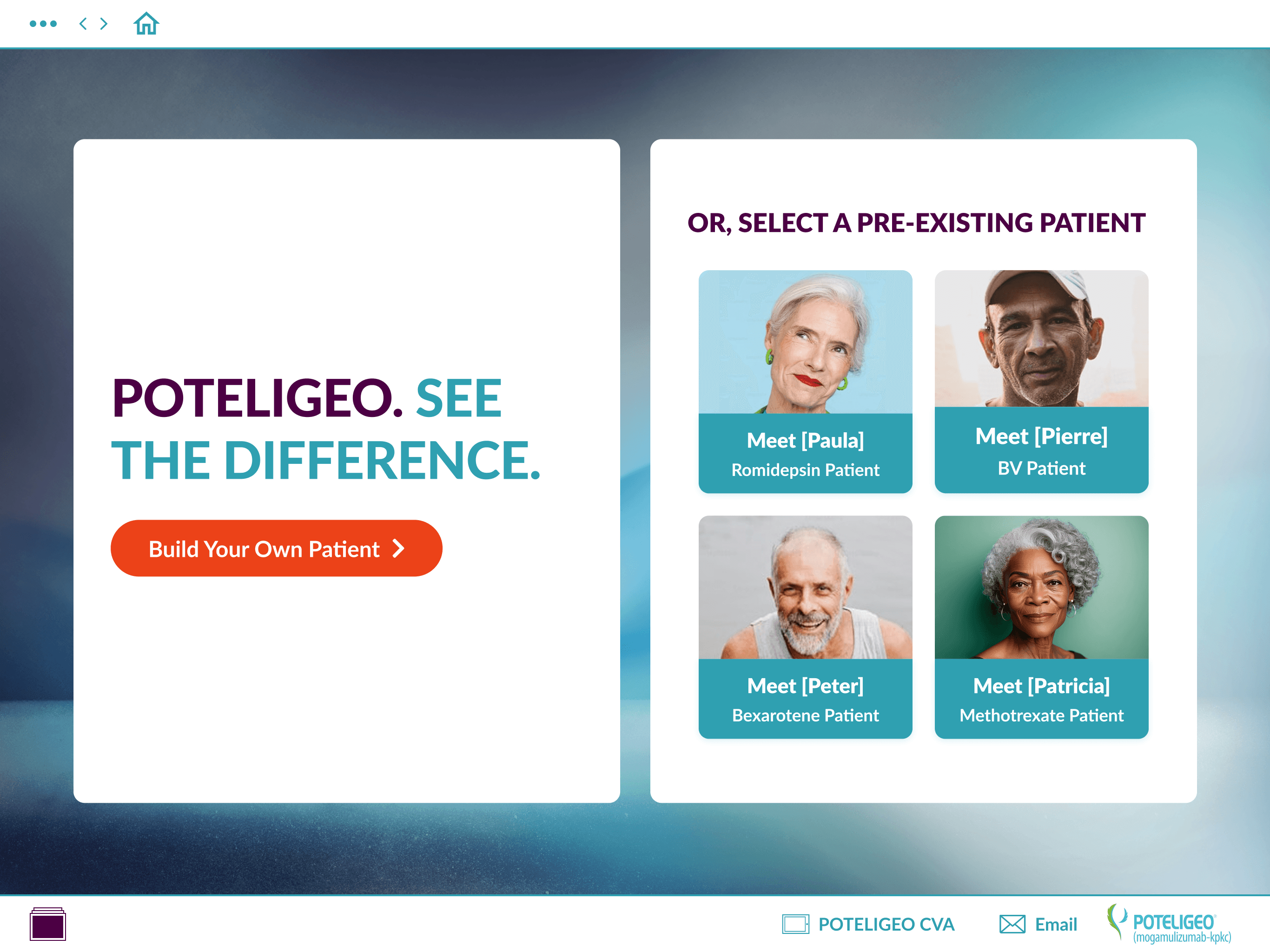
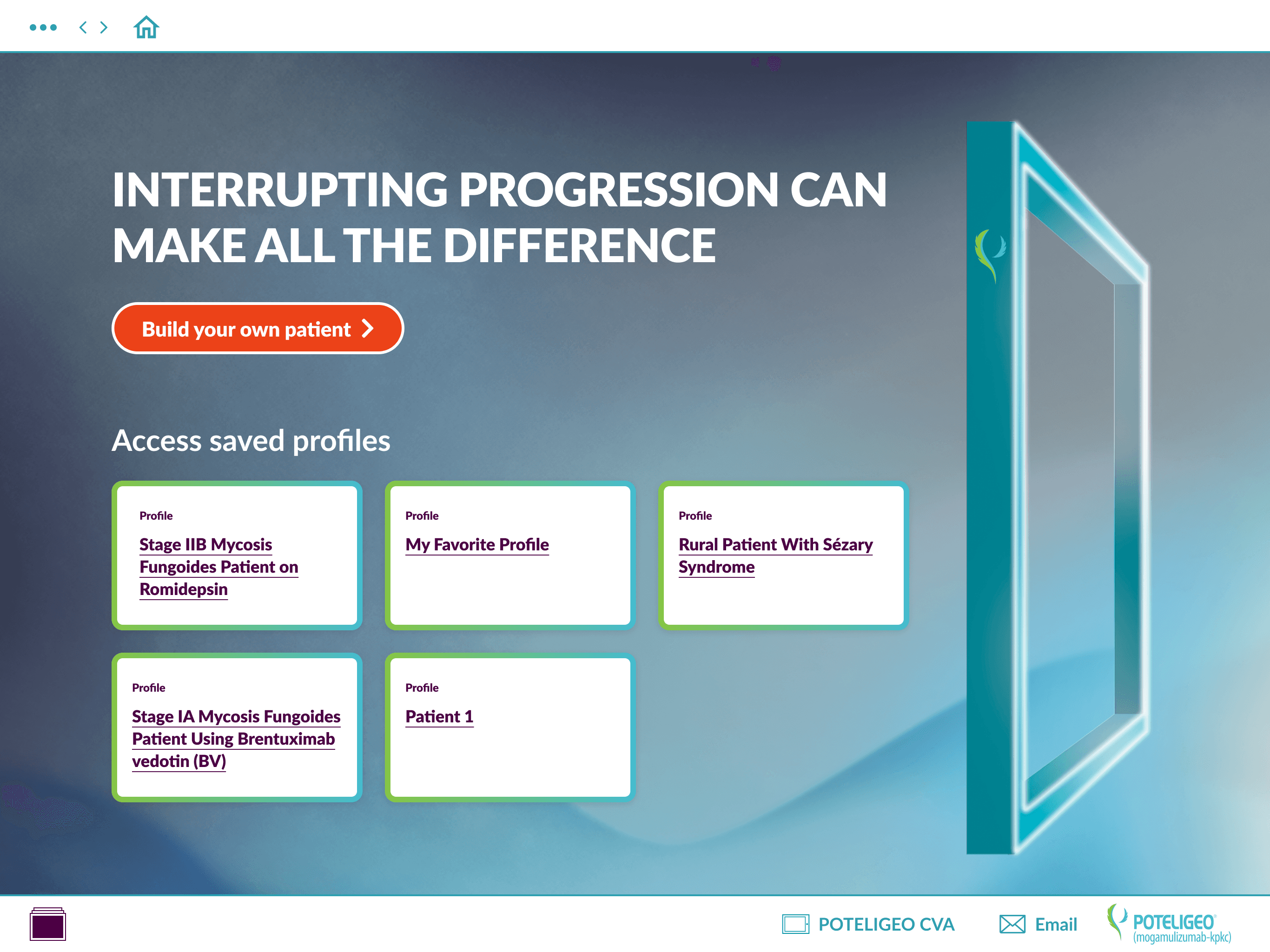
The home page and profile page underwent the most iterations. For the home page, we chose early on to use the brand’s campaign image as the background and developed two variations with different visual approaches. Option 1 exposed more of the campaign imagery, while Option 2 incorporated a subtle nod to the tool’s selection workflow (shown in the prototype below).

We also explored using patient images in the saved profiles area to add visual interest, but ultimately decided—with the client—to keep this section simple for a lighter development lift and to maintain focus on building new profiles.

Home Version 1
Home Version 2
Home Version 3
Home Version 3
Home Final
Home Final
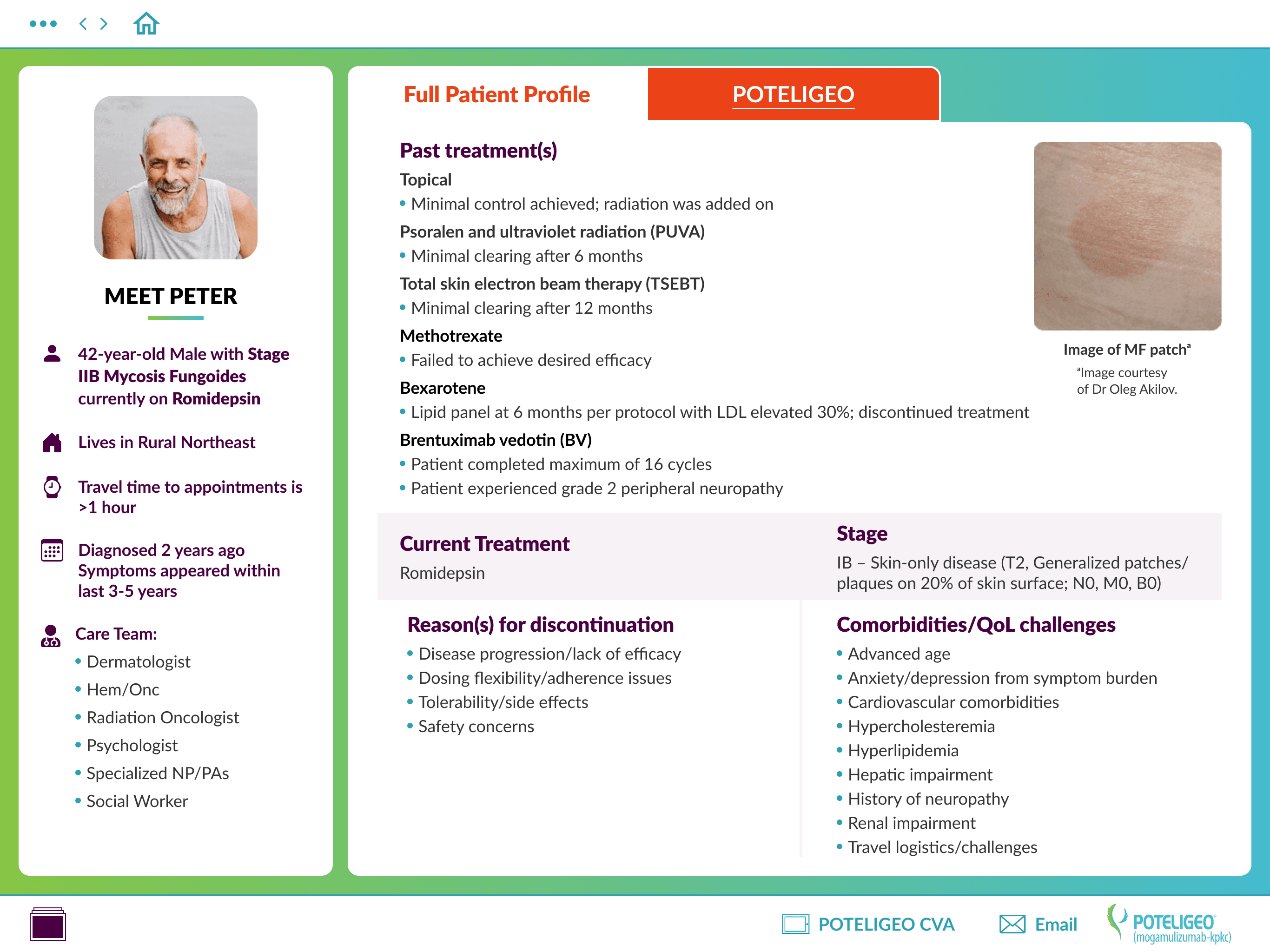
Profile Version 1
Profile Version 1
ProfilE Version 2
ProfilE Version 2
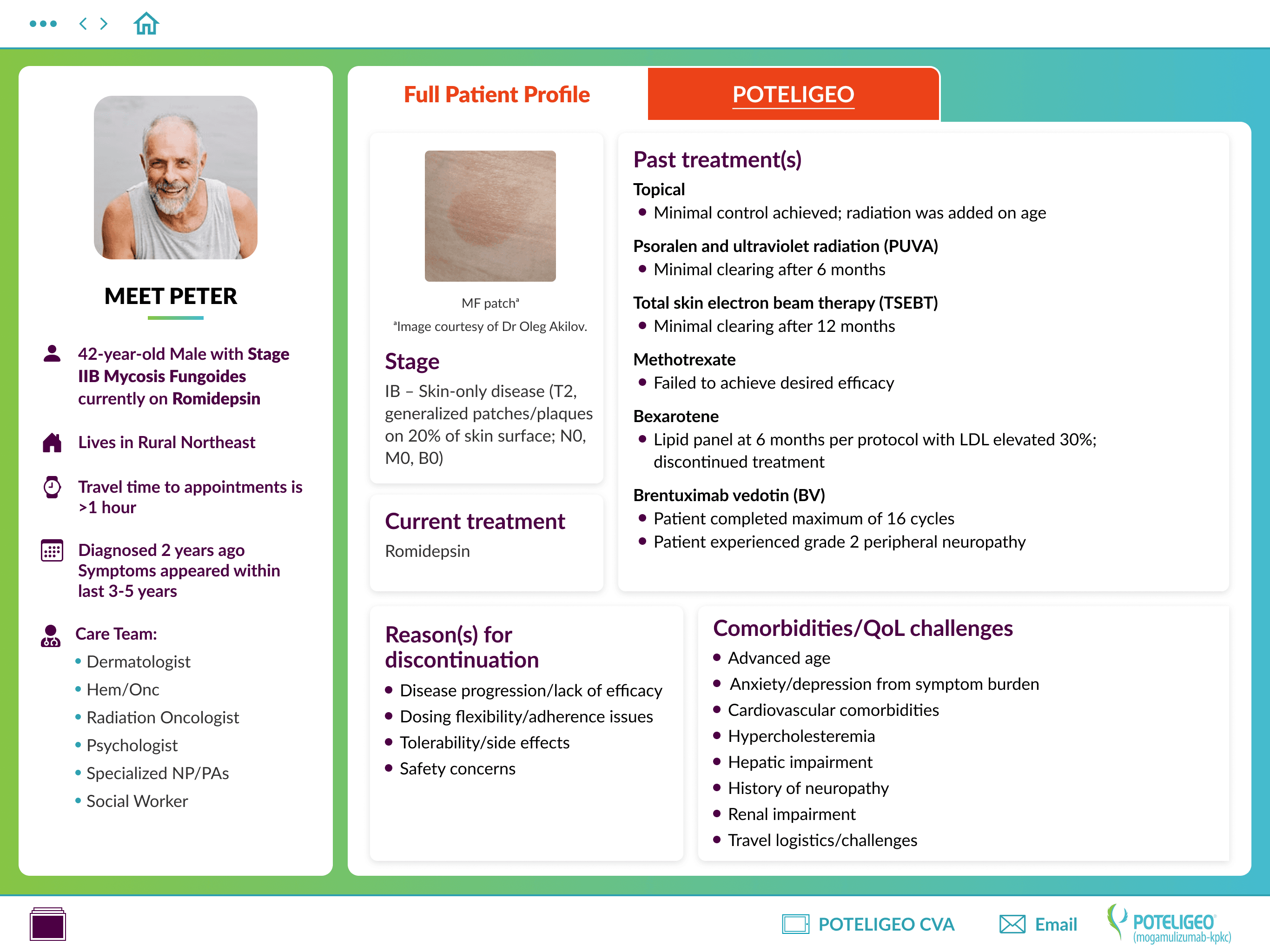
Profile Version 3
Profile Version 3
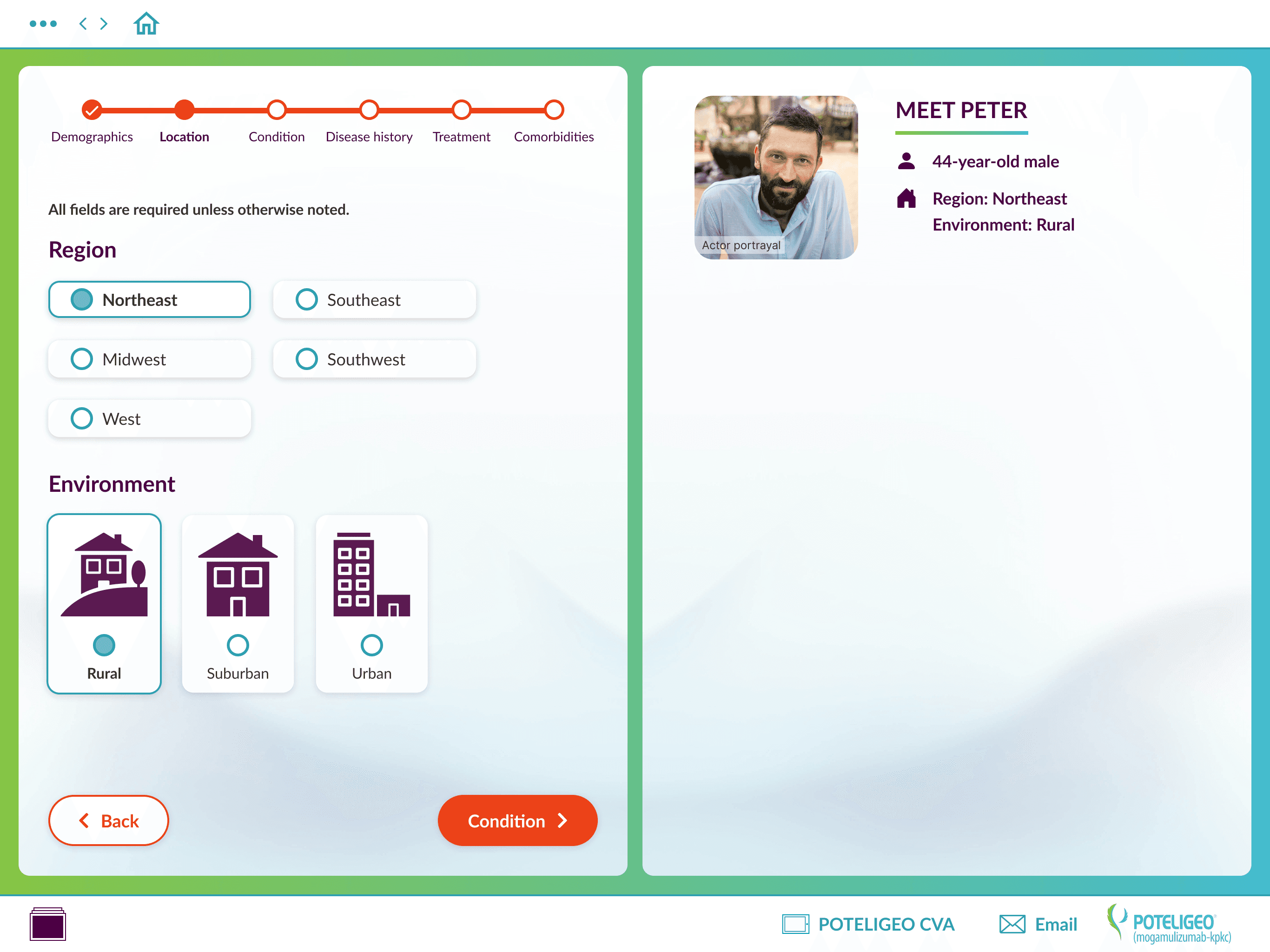
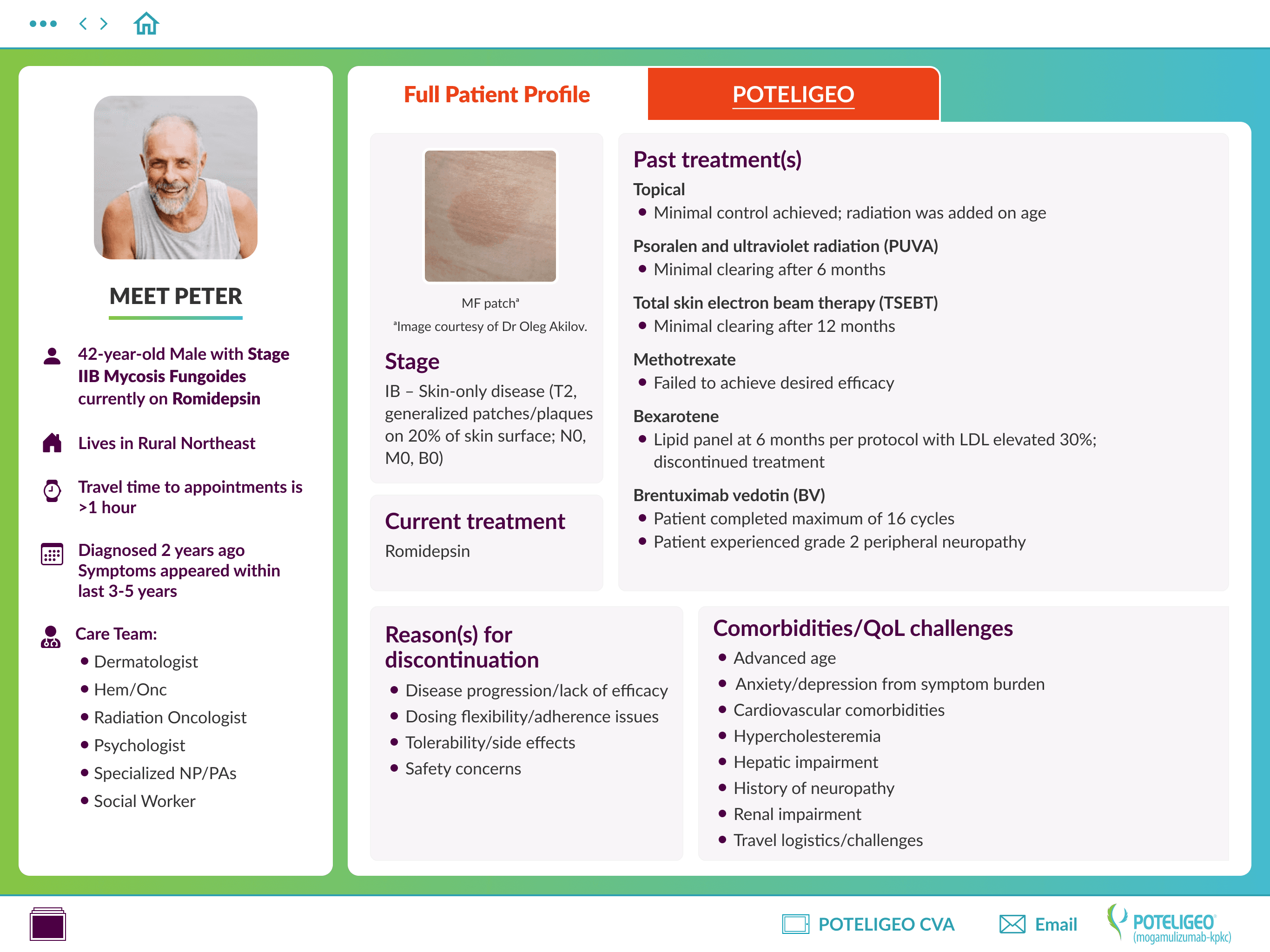
Profile Final
Profile Final

The profile output page was more challenging to design due to the high volume of content and the need to accommodate variable outputs based on user selections. We planned for the largest possible profile and used a custom brand gradient as the background, placing the content in white containers for clarity and contrast.

Multiple iterations were required to make the layout both space-efficient and easily scannable—moving from Version 1 to Version 3 as we refined structure and hierarchy. In the final iteration, we also introduced the campaign background to visually anchor the tool at the end of the workflow and create clearer separation from the selection screens, as shown in the Solutions section below.

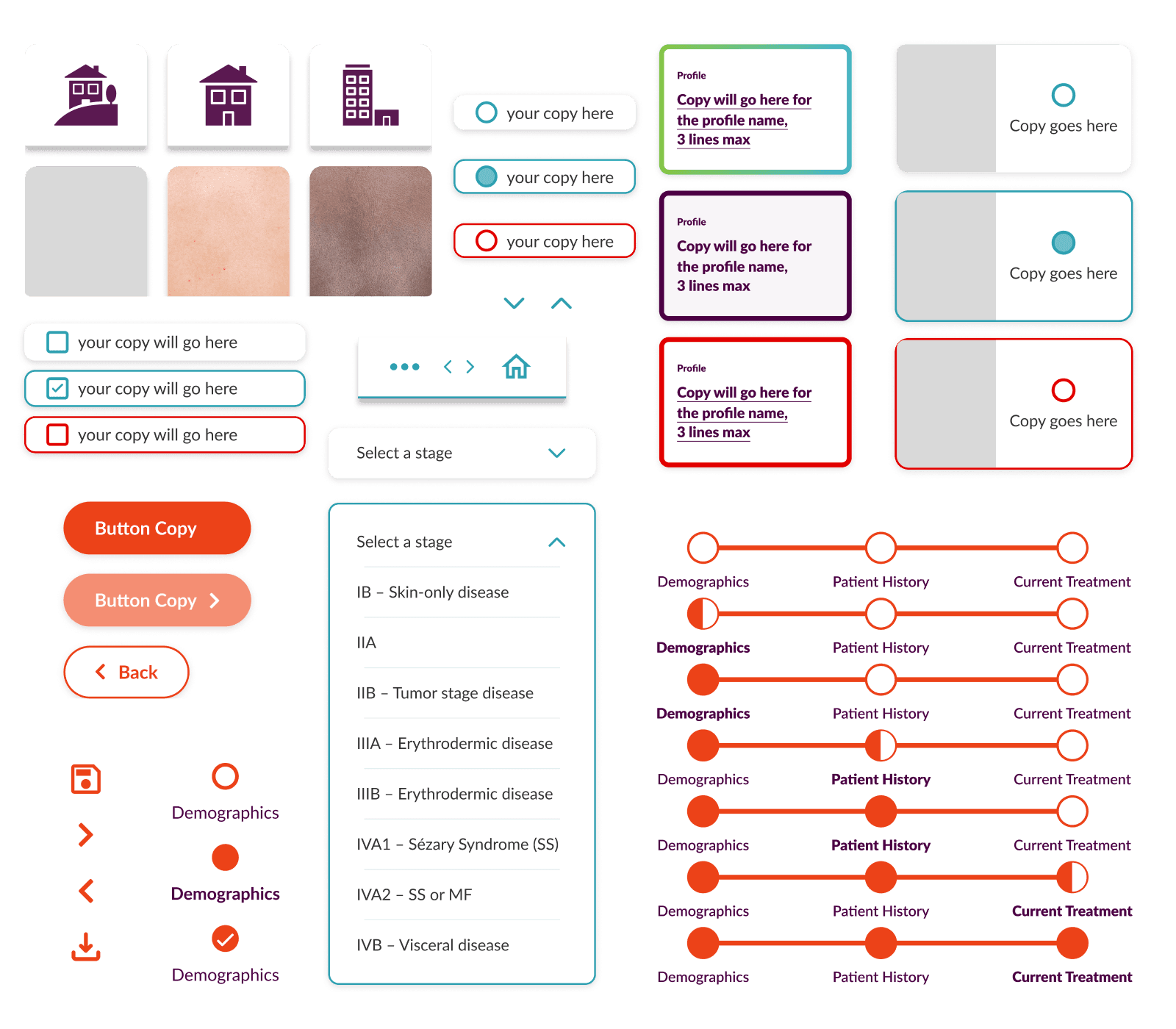
Simple UI Kit to help with consistency and speed

To ensure consistency and efficiency across the design, we created a small UI kit with components, variables, font styles, and colors. This kit also serves as a strong foundation for a future design system for the brand if a design system is applicable.

Sample Of UI Kit components

Solution

Together, these solutions shaped a brand-new tool grounded in thoughtful, user-centered research. By deeply understanding how sales representatives work—both in preparation and in real time with health care providers—we were able to design an experience that is clear, flexible, and aligned with their needs. Through multiple rounds of visual exploration and UI iteration, we refined the interface to ensure it felt intuitive, on-brand, and easy to navigate. The final product reflects the insights gathered throughout discovery and research, resulting in a tool that supports confident conversations and makes building patient profiles more intuitive from the start.